 Mavpa
Mavpa
The web, cropped to what you care about.
Keep a region of any page — a rate, a chart, a score, a status board — in a feed where it stays live. Not a screenshot. The real page, still updating.
iOS · in TestFlight
Crop a page. Keep the part that matters.
Open a site, drag a frame over the piece you actually read, and keep it. Mavpa renders that region from the live page every time you look — so the number in your feed is the number on the site, not a picture of it from last Tuesday.
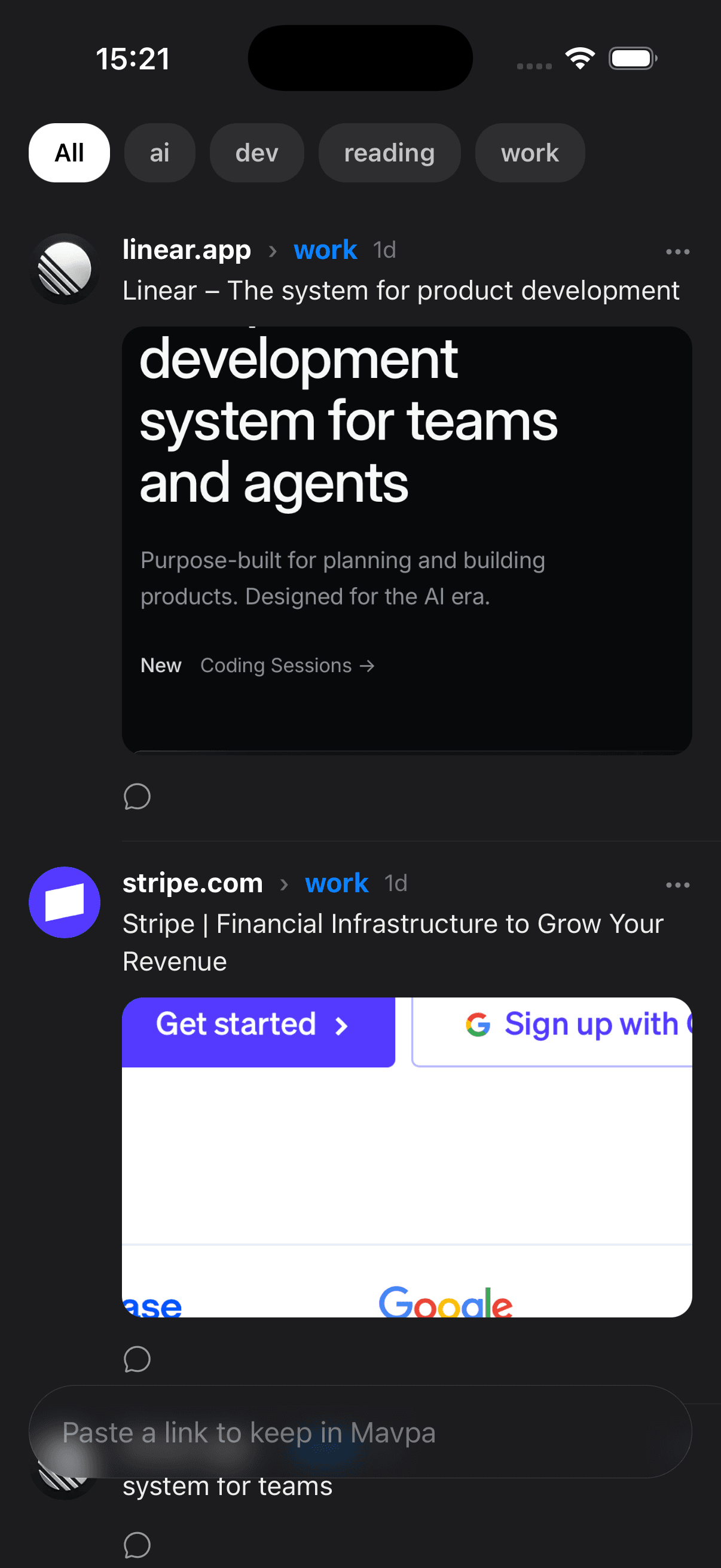

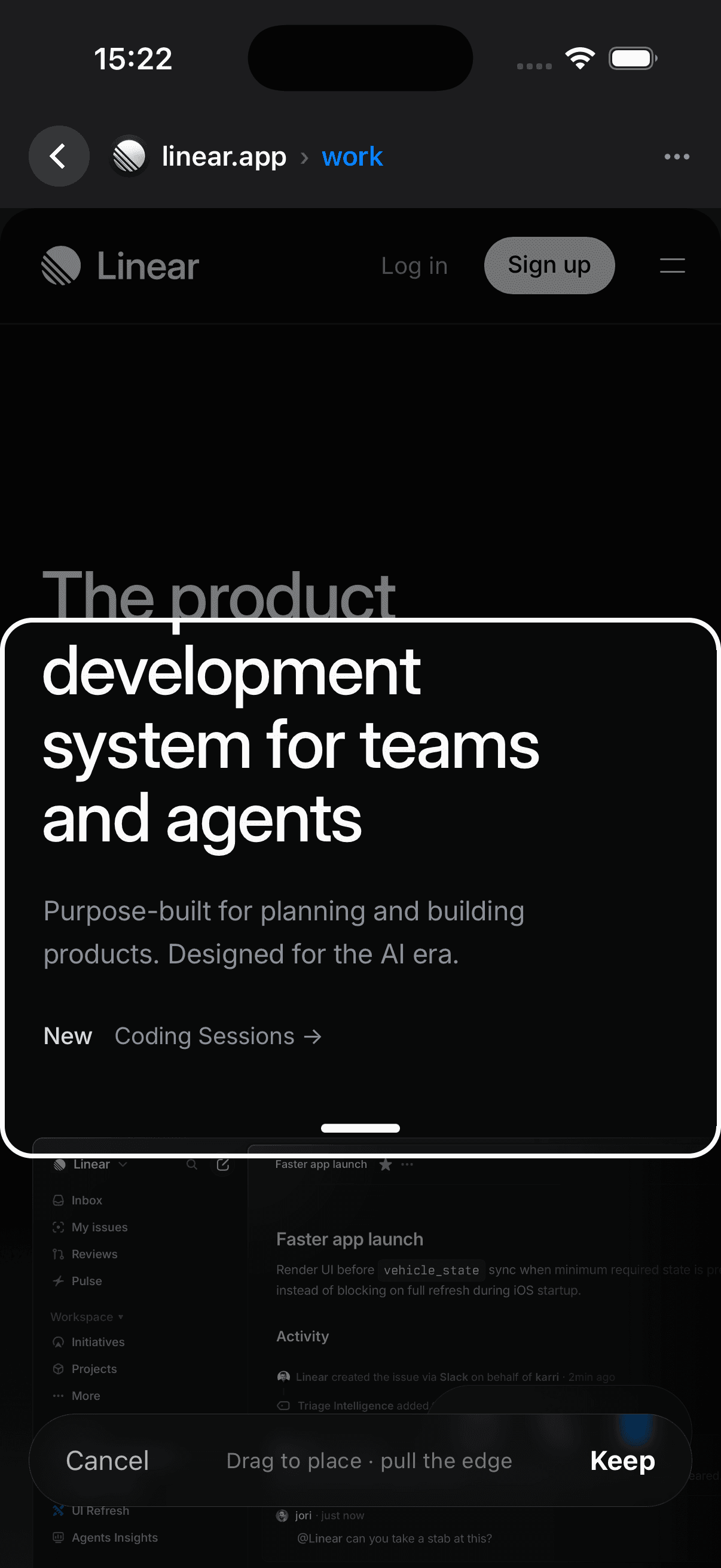
It is a folder, not an account.
There is no Mavpa server, no sign-up and no database. Everything you keep is written straight into a folder in your own iCloud Drive, as plain JSON files you can read, edit, move or delete in Finder.
Live, not frozen
A crop is a rectangle on a real page. It reloads, so rates and charts stay current instead of aging into a screenshot.
Yours on every device
iCloud Drive syncs the folder to your iPhone and your Mac. Delete the app and the folder stays exactly where it is.
Readable by your agents
One JSON file per item, plus an AGENTS.md describing the format. Point any local agent at the folder and it can read your context without an API.
Topics, not feeds
Group what you keep into topics. They are ordinary directories, so renaming one in Finder renames it in the app.
Notes beside the page
Comment on anything you keep. Your note is stored next to the page it belongs to, in the same folder.
Nothing collected
No analytics, no tracking, no account. Mavpa has no way to see what you keep, because none of it reaches us.
Built by Mavpa, Inc.
Mavpa is in active development and currently testing through TestFlight. Questions, bugs and requests are welcome at hello@mavpa.app.